
電源ケーブル・アセンブリ交換モデル 410 MK3
必要な道具と材料
- パワーケーブルアセンブリ(スペア) (#110341)
- 5/16 “レンチ
- 小型マイナスドライバー
- ハサミ
- ワイヤーストリッパー
- ピラーまたは圧着工具
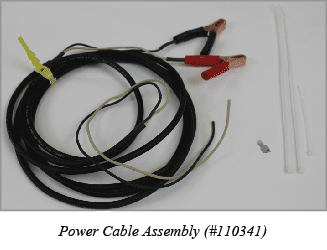
使用方法
- ポンプを電源から外します。
- 5/16 “レンチを使用して、エンドプレート(ポンプヘッ ドとは反対側の端)から 4 本のネジを取り外します。
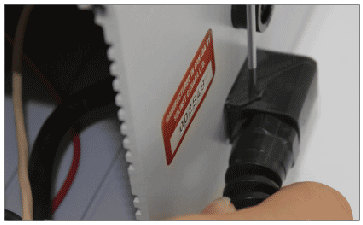
- 小型のマイナスドライバーを使用して、ポンプハウジ ングの外側にある電源ケーブルのストレインリリーフ をこじ開けます。下の写真を参照してください。
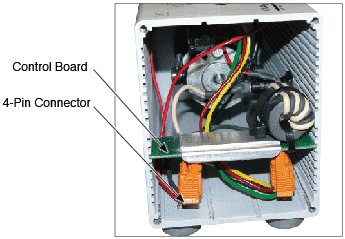
- コントロールボードを慎重にスライドさせて筐体から取り出します。
- コントロールボードから4ピンコネクタを抜きます。
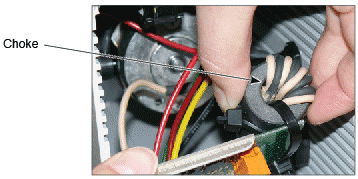
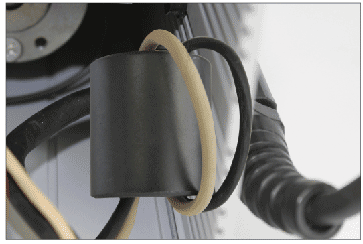
- コントロールボードからチョークを外します。チョークを取り外すには、コントロールボードの周りにあるプラスチックの紐を切る必要があるかもしれません。下の写真を参照してください。
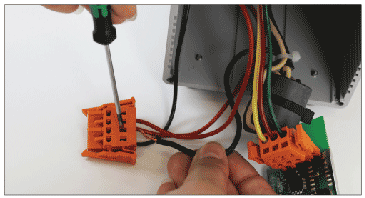
- 小型のマイナスドライバーを使用して、4ピンコネクター の2番目の位置から黒いワイヤーを取り外します。ドライバーをワイヤーの下のスロットに差し込み、ワイヤーを引き抜きます。下の写真を参照してください。
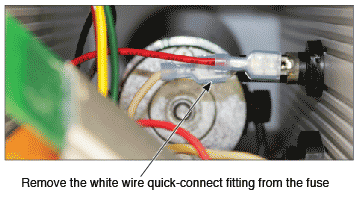
- クイックコネクトフィッティングの付いた白いワイヤーを、ヒューズへの接続部分から引き抜き、フィッティングをワイヤーから切り離す。
- チョーク周りのワイヤーからプラスチック製結束バンドを切り、チョークからワイヤーをほどく。チョークを再使用します。
- 古い電源ケーブルアセンブリのワイヤーをストレインリ リーフを通してポンプから引き抜きます。
- 新しい電源ケーブルアセンブリのワイヤーをストレインリリーフに通し、電源ケーブルのジャケット部分の約 6 インチがポンプハウジング内にくるようにします。
- 電源ケーブルアセンブリの黒と白のワイヤーを、電源ケーブルの黒のジャケットに達するまでチョークに通します。黒と白のワイヤーをチョークにきつく4回巻き付けます。
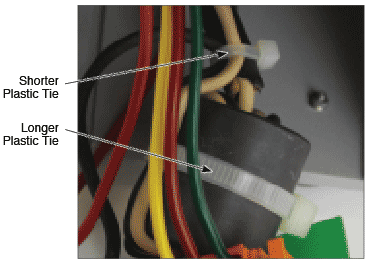
- 長い方のプラスチック・タイを使用して、ワイヤーをチョークに固定します。短い方のプラスチック・タイを使用して、チョークから出るワイヤーを固定する。
- 新しい電源ケーブル・アセンブリの黒と白のワイヤーを 7 mm 剥きます。
- プライヤーまたは適切な圧着工具を使用し、クイックコネク ト・フィッティングを白色ワイヤーの端に圧着します(下 の写真を参照)。外側の白いジャケットがそれ以上進めなくなるまで、ワイヤーがフィッティングに押し込まれていることを確認してください。コネクターを引っ張って確実に固定します。右上の写真をご覧ください。
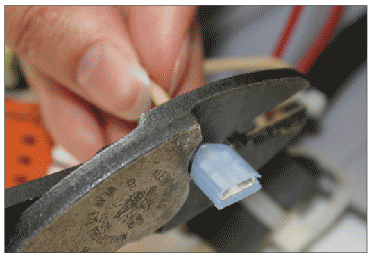
- クイックコネクトフィッティングをヒューズに差し込みます。
- 黒線を4Pコネクターの空き端子に差し込む。小型のマイナスドライバーを使用して、ワイヤー接続部の下にあるスロットを押し込み、ターミナルにワイヤーを挿入し、ドライバーを離します。ワイヤーが接続されていることを確認します。
- 4ピンコネクタをコントロールボードに戻します。
- 長い方のプラスチック製ジッパータイを使用して、チョークをコントロールボードに固定します。下の写真を参照してください。
- プラグが下向きになるように、コントロールボードをスロットの筐体にスライドさせます。
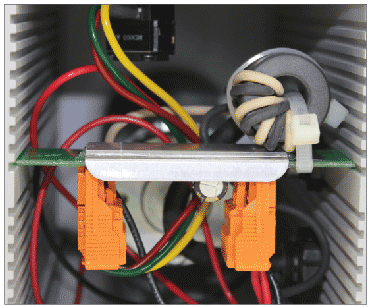
- すべてのワイヤーを注意深くハウジングに押し込みます。ポンプハウジング内の余分な電源ケーブルをストレインリリーフに通し、ストレインリリーフをロックします。
- エンドプレートをポンプにねじ戻します。
関連商品
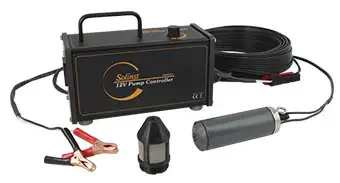
415 12V水中ポンプ
ソリンスト12V水中ポンプ ソリンスト12V水中ポンプは、外径2インチのモニタリング井戸から地下水サンプルをパージして採取するための効率的な手段を提供します。 このコンパクトなポンプは、地表から36.5m(120フィート)の深さからサンプリングでき、より浅いアプリケーションでは最大13.5L/分(3.6US gpm)までの流量を簡単に調整できます。
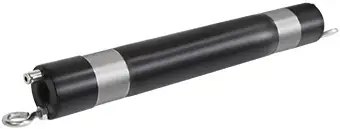
800M ミニパッカー
ミニパッカー 800Mミニパッカーは、長さ1フィートで、公称外径2インチのモニタリング井戸に適合するように設計されており、地下水のモニタリングやサンプリング用途のために一時的に個別のゾーンを隔離します。
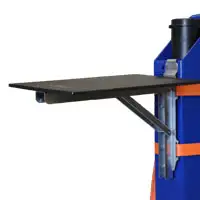
現場での生活をより快適に
フィールドでの生活をより快適にするために、便利な フィールドテーブル.ウェルマウント型とスタンドアロン型の2種類をご用意しており、機材を整理整頓し、清潔で丈夫な表面にフィールドツールを置くことができます。
ウェルマウント・フィールド・テーブル - 115209
スタンドアローン・フィールド・テーブル - 115312


