
Web Download
Download the newest version of Levelogger Software
CD Installation
Insert the software CD provided.
If the installer does not automatically start, to activate the software install click on the 'setup.exe' file located on the software CD.
The Software Installation Wizard will guide you through the remaining installation process. Figure 4-1 shows the Levelogger Installation Wizard.
Restart the computer after installation is completed. Default Directory is
C:\Program Files\Solinst\Levelogger4_1
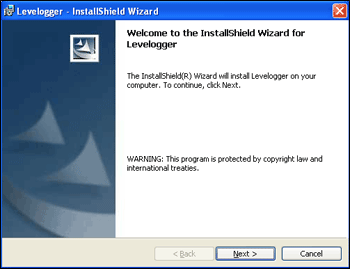
Figure 4-1 Levelogger - InstallShield Wizard