6 RRL Installation
The RRL 5 has an IP rating of 67 (dust proof and can withstand immersion up to 1 meter depth for up to 30 minutes), so should not be submerged for longer periods. The operating temperature range is -20 to 60ºC.
You should have already installed the batteries before configuring the RRL 5 using the PC Software, as well as the antenna (see Section 2).
Note:
You may want to consider the use of an extended top cap style protective well head. This would allow full access to the RRL 5 components at the top of the monitoring well. If made of a plastic, it would eliminate signal interference that protective metal casing can cause.
6.1 Installing a RRL Remote Radio Link in a Well
Each RRL 5 station comes with a 2″ Well Cap Assembly and a Support Hanger Bracket.
To accommodate 4″ wells, an optional adaptor is available for use with the 2″ well cap base.
The Support Hanger Bracket is recommended to add extra security to the Reader Cable(s) when deployed.
1. Support Hanger Bracket
2. Base
3. Grommet
4. Cap
5. 2 Inch Well Cap Assembly
6. Adaptor
7. Optional 4 inch Adaptor (Does not include the Cap and Base)
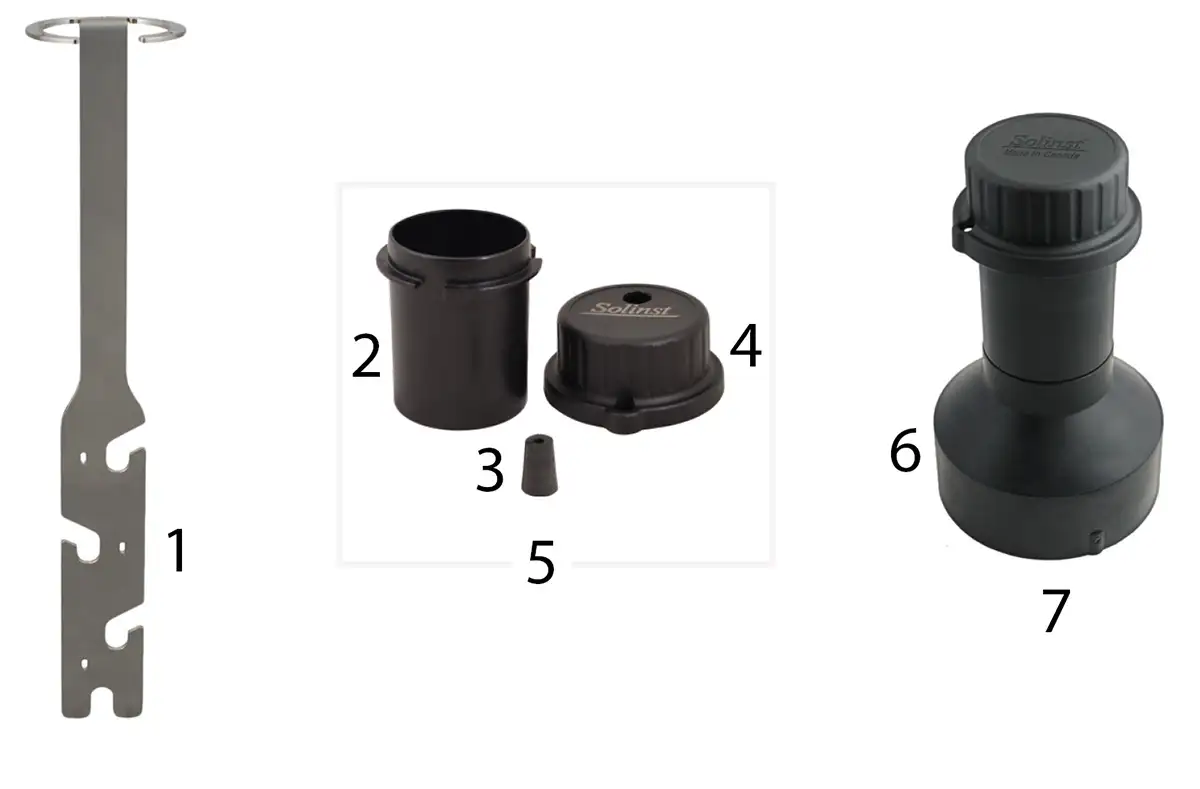
Figure 6-1 RRL 5 Installation Accessories
The following is the recommended method for installing a RRL 5 in a 2″ well with one Levelogger:
1) If you are connecting a RRL 5 to a Levelogger already installed in the field with a Direct Read Cable and Solinst Well Cap Assembly, you will need to remove the installation from the well. You may save the well cap base, but you do not need the insert or cap.
Note:
Each RRL 5 comes with a 2″ Well Cap Assembly, without the insert.
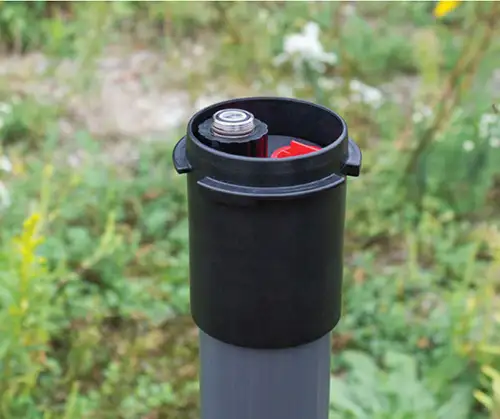
Remove Existing Levelogger Installation
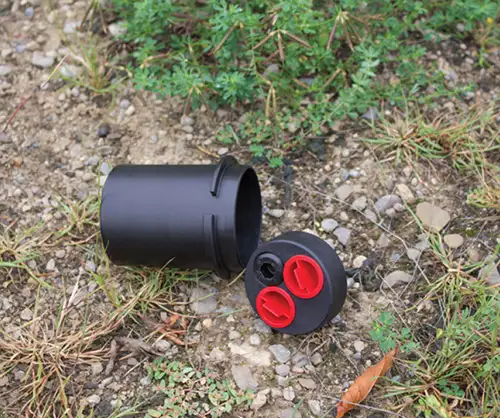
Remove the Well Cap Insert from the Well Cap Base
Figure 6-2 Remove Existing Installation
Note:
If you are installing a Levelogger and Barologger in the same well, you will need a splitter to connect both dataloggers to the RRL 5. See Section 2.
2) Install the well cap base on the well casing.
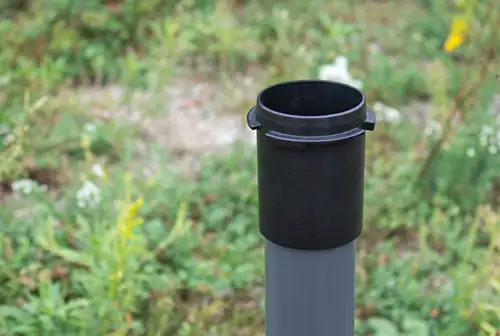
Figure 6-3 Install the Well Cap Base
3) Wrap the Reader Cable around the Support Hanger Bracket, similar to what is shown in the photo below, leaving about 6″ of slack above the top of the bracket. Use zip ties to secure the cable to the bracket.
Note:
Providing enough slack above the bracket allows you to lift the RRL 5 from the well cap base to make room for a Water Level Meter for periodic depth to water measurements, without disturbing the datalogger(s) from their downhole position.
If installing a Barologger, secure the second Reader Cable to the Support Hanger Bracket using the same method.
The length of Reader Cable wrapped around the Support Hanger Bracket will depend on your application. If you are installing a Barologger in the same well, the Reader Cable/Direct Read Cable connection will need to be staggered from the Leveloggers connection in order to fit in a 2″ well casing. Staggering the connections also allows more space for a Water Level Meter for periodic manual depth to water measurements.
Note:
Ensure the weight of the reader cable is not resting on a zip tie, but instead supported by one of the cutouts in the bracket.
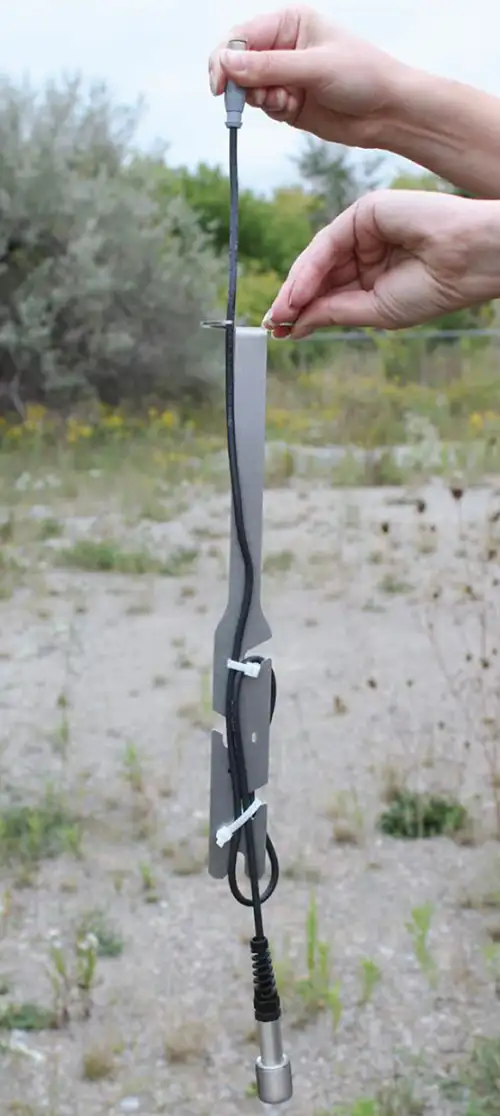
Figure 6-4 Secure the Reader Cable to the Support Hanger Bracket
4) Connect the Levelogger to the Direct Read Cable (see Levelogger User Guide for more information, if required). Connect the Direct Read Cable to the Reader Cable. See Section 2 for more details. Slowly lower the datalogger(s) down the well.
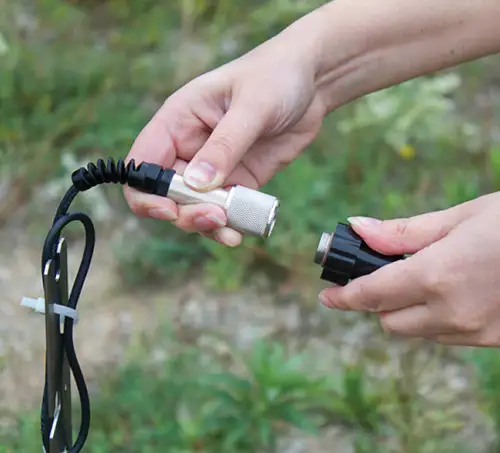
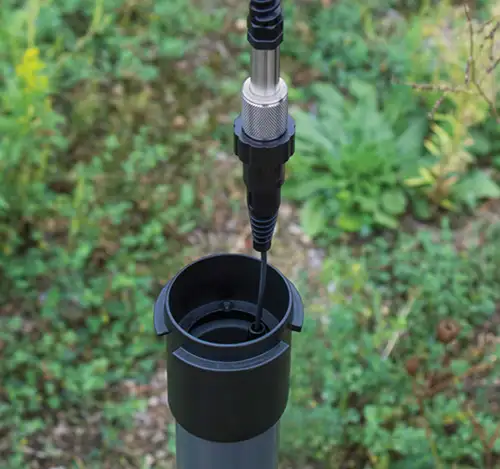
Figure 6-5 Connect the Direct Read Cable and Levelogger
5) Lower the assembly until the Support Hanger Bracket seats on the shoulder in the well cap base.
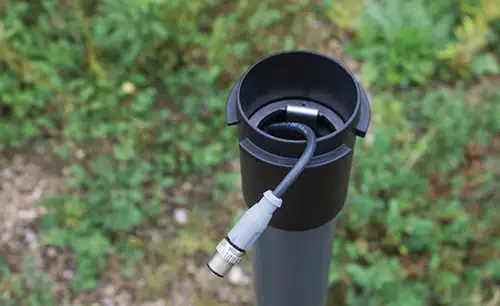
Figure 6-6 Lower the Assembly into the Well
Note:
There are three holes in the top of the Support Hanger Bracket the can be used to secure it in the well cap base with screws.
6) Connect the top end of the Reader Cable to the RRL 5 (or Splitter). See Section 2 for more details.
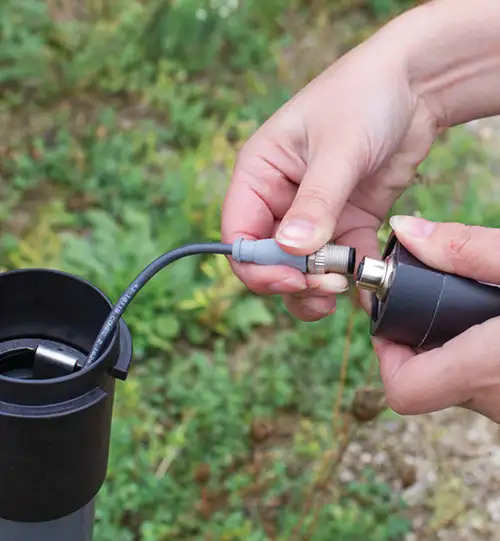
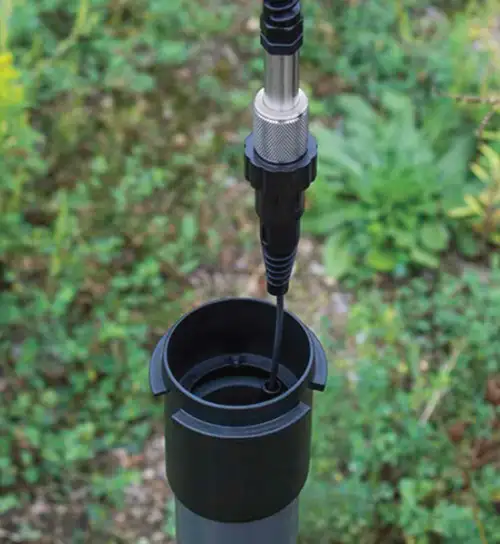
Figure 6-7 Connect the Reader Cable to the RRL 5
Note:
Providing enough slack at the top of the well allows you to lift the RRL 5 from the well cap base, in order to make room for a Water Level Meter for periodic depth to water measurements, without disturbing the datalogger(s) from the downhole position.
7) Carefully push the excess Reader Cable(s) into the well, while lowering the RRL 5 into position. The RRL 5 has flat sides so it fits alongside the Support Hanger Bracket. The RRL 5 will seat on the shoulder in the well cap base.
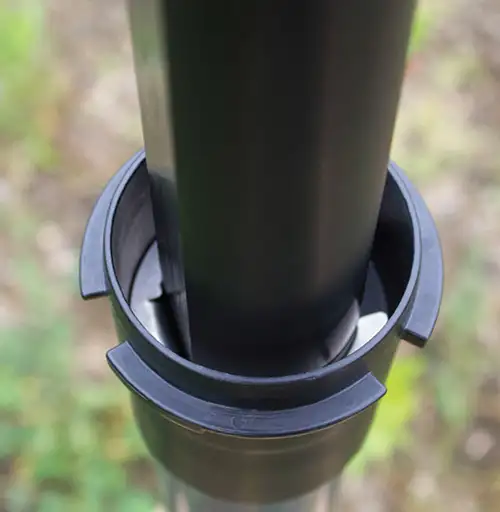
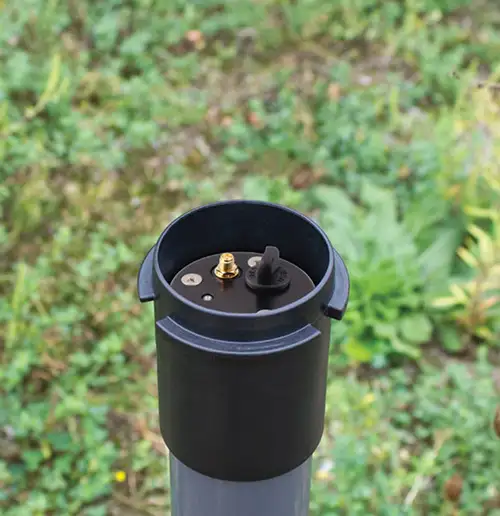
Figure 6-8 Lower the RRL Remote Radio Link into Position
8) Thread the end of the antenna cable through the opening in the top of the well cap. Connect the antenna to the RRL 5.
9) Insert the antenna cable through the slit in the side of the grommet, leaving a bit of slack in the antenna cable as shown in the photo.
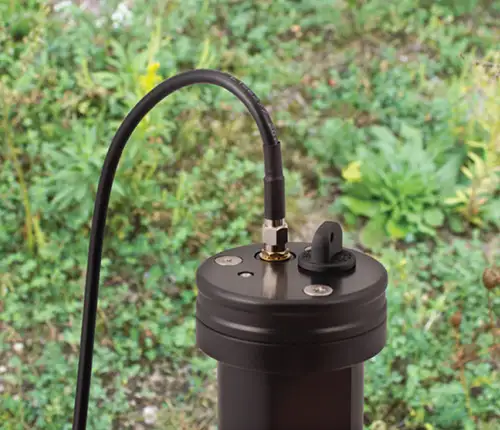
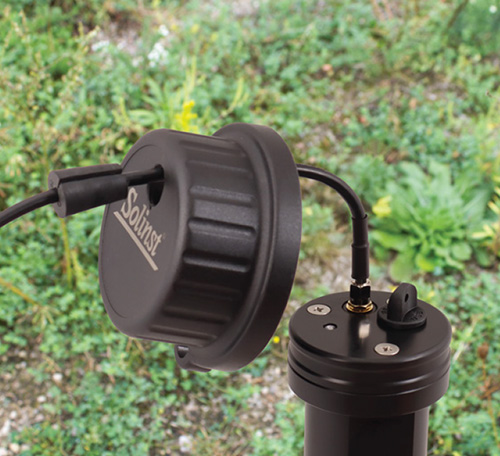
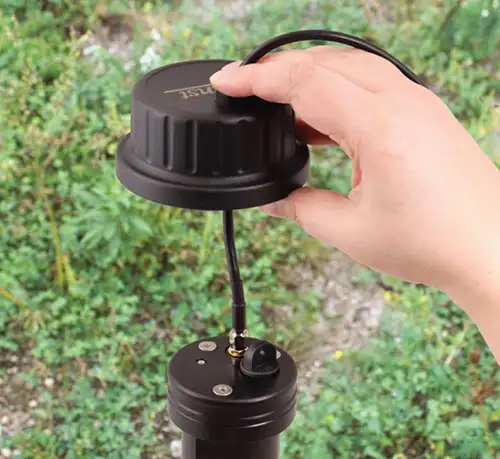
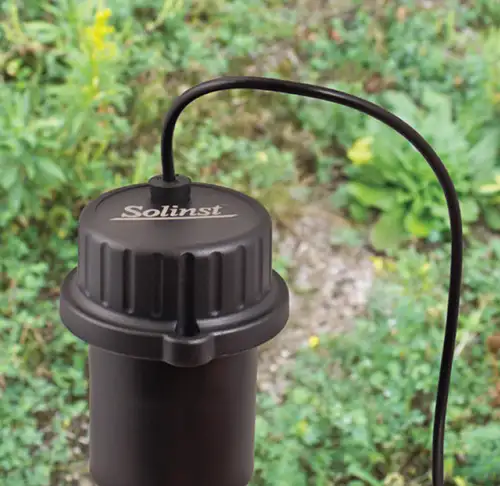
Figure 6-9 Install the Well Cap
10) Push the grommet into the opening in the well cap to seal around the antenna cable.
11) Install the well cap onto the well cap base.
Note:
See the Levelogger User Guide for more specific details on installing Leveloggers and Barologgers.
6.1.1 Levelogger Installation Examples
Note:
When installing a Barologger 5 an L5 Threaded Optical Adaptor can be used in place of a Direct Read Cable, if extra cable length is
not required. However, keep in mind, It is always recommended to install a Barologger in a similar thermal environment as the Levelogger, and should be suspended beyond the frost line and deep enough to avoid large temperature fluctuations.
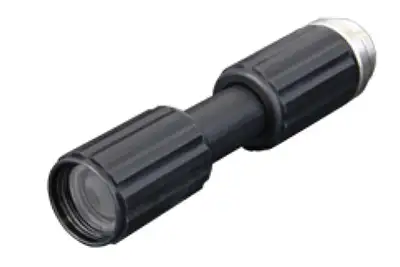
L5 Threaded Optical Adaptor
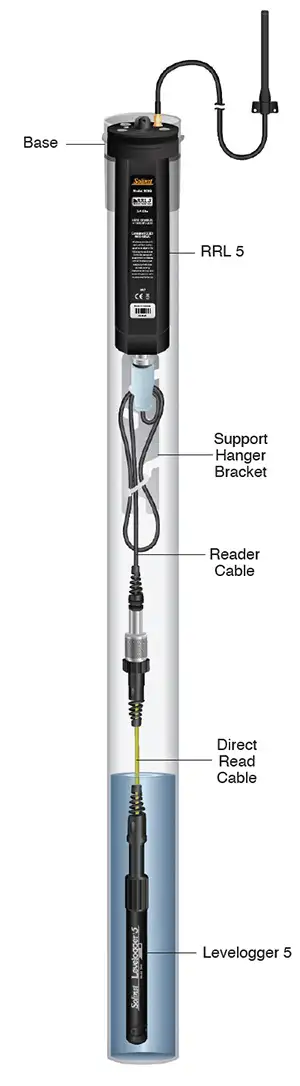
Figure 6-10 Single Levelogger 5 Installation
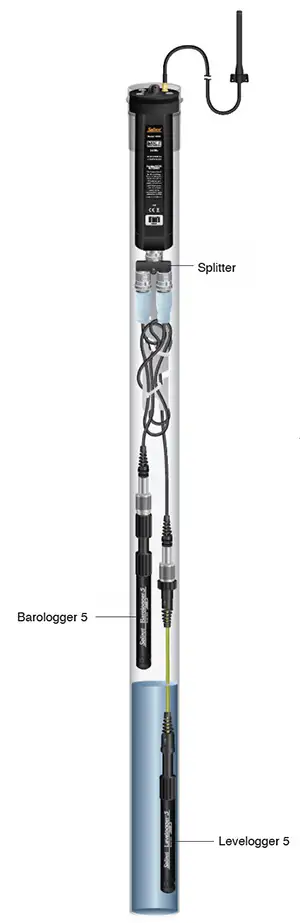
Figure 6-11 Levelogger and Barologger Installation
(Reader Cable Connections Staggered)
6.1.2 LevelVent 5 Installation
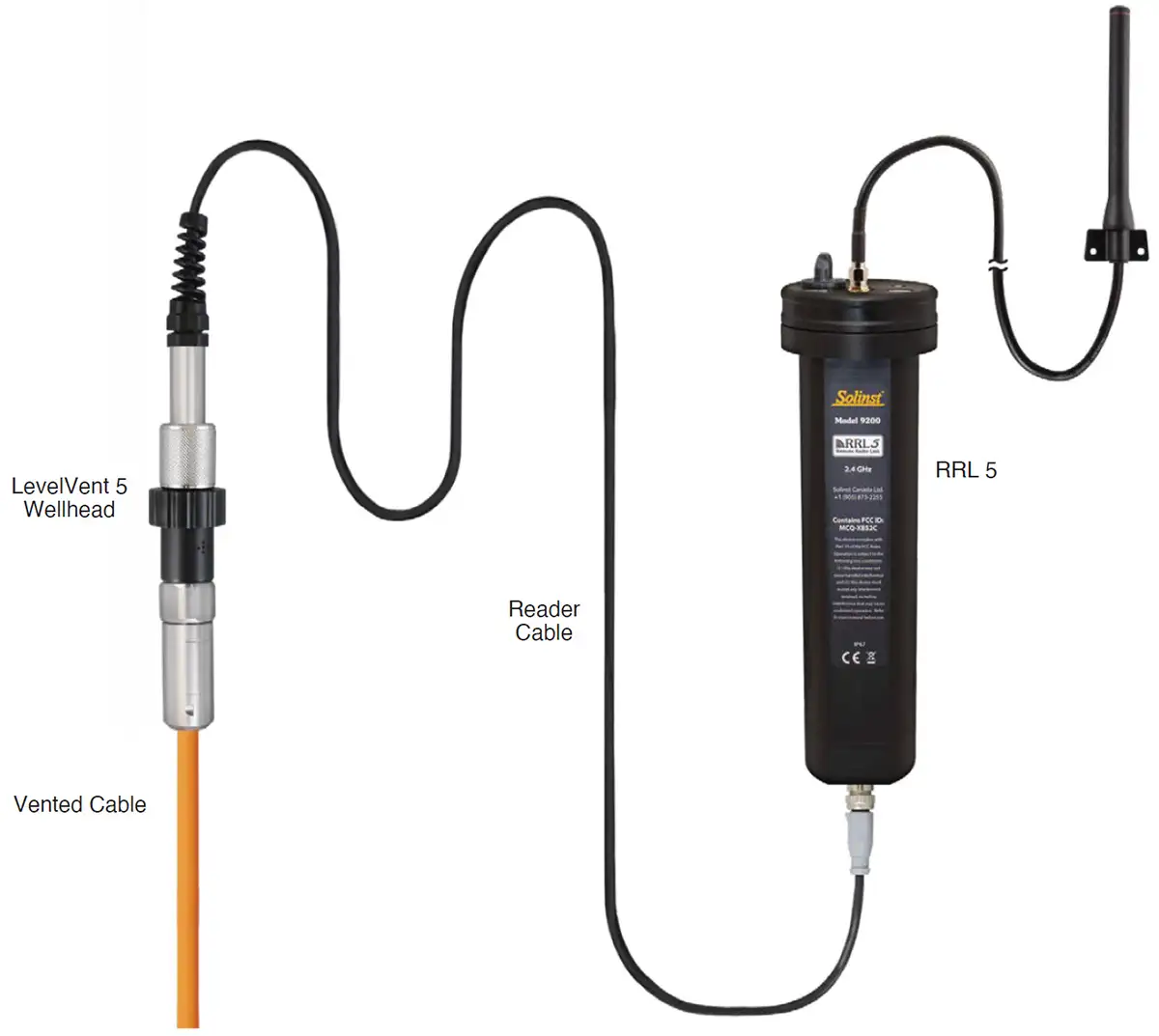
Figure 6-12 LevelVent 5 Installation
Note:
See the Vented Dataloggers User Guide for more specific details on proper installation of the LevelVent 5.
6.2 Power Supply
RRL 5 Stations come standard with six (6) 1.5V AA lithium batteries. The batteries must be installed for proper operation, even at the Home Station. The life of the battery varies depending on the frequency of your Sample and Report Rates, as well as the Radio Power setting. The following are estimates based on the standard lithium batteries, with the Radio Power setting at 1 Watt. With the Radio Power set at 100 mW, the battery life increases by about 10% of the estimates below. RRL 5 Stations can also be powered by six (6) usersupplied 1.5V AA alkaline batteries. With alkaline batteries, the battery life will be about 40% of the estimates below.
Note:
Where possible, use lower Radio Power settings and/or longer Report intervals to conserve Remote Station Battery life.
Table 6-1 Battery Life Estimates (6 AA lithium batteries at 1 Watt setting)
Note:
It is recommended to replace the batteries when the Remote Station Battery indicator reaches 60% in the STS/RRL Administrator. See Section 4.1.
Note:
Rechargeable batteries cannot be used inside any RRL Units as the voltage would be to low.
6.3 Location and Communication Considerations
When using radio communication, you must take extra care when locating the Remote Stations. RRL 5 radios communicate with each other via line-of-sight. They must be able to “see” each other in order to have effective communication. The path between radio antennas should not be through trees or perpendicular to the sides of flat buildings.
The communication distances given for each radio module, with standard antennas, are guidelines. Each project is site specific, and will require testing and planning before installing a RRL 5 Network.
A communication range test can be performed prior to installation between the Home Station and the Remote Station using the RRL Remote Utility (see Section 5). Tests can be done using different Radio Power settings (see Section 4.1) to determine the ideal setup for your site. Always start with the lowest Radio Power setting, as this will conserve battery power. (Longer Report intervals will also conserve battery power).
Field tests will allow you to determine if you need a higher gain antenna to increase communication distances.
6.3.1 Antennas
RRL 5 Stations come standard with an omnidirectional antenna. The antenna should always be mounted on the outside of any steel/metal enclosure for maximum communication distance, as they communicate via lineof-sight transmission. 900 MHz radios can communicate over distances up to 20 miles (30 km) and 2.4 GHz radios over distances up to 600 m (2000 ft.).
A higher gain antenna may be sourced to increase communication distances. RRL 5 Stations have a Reverse Polarity SMA (RP-SMA) connector (male treads and male centre) for direct or cabled connection to any (legal) antenna or connector that maintains waterproofing.
6.4 RRL 5 Maintenance
As with any groundwater or surface water monitoring project, you should select the proper equipment and determine a maintenance schedule based on the monitoring environment specific to your application.
For the RRL 5, Leveloggers and LevelVent, this means selecting the appropriate pressure range, ensuring the monitoring temperatures are within the instruments specifications, and making sure the wetted materials are compatible with site chemistry. See the Levelogger and Vented Dataloggers User Guides for important information about maintaining your dataloggers.
Replacing the RRL 5 batteries will have to be done on a regular basis, and is based on usage. See Section 6.2 for battery life estimates. See Section 2.3 for installation instructions. Battery life percentage is sent with each RRL 5 report to allow remote battery level monitoring. It is recommended to replace the batteries when the percentage reaches 60%.
When not in use, the Reader Cable should be disconnected and the dust cap replaced on the RRL 5 datalogger connection. Batteries should be removed from the RRL 5 during storage.
Related Products
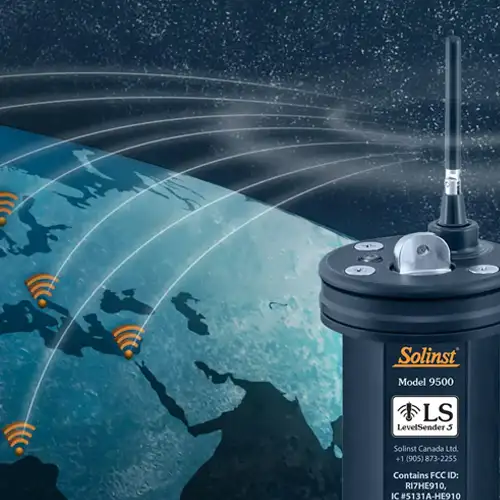
Plug and Play Telemetry
Already own Leveloggers? Quickly and easily upgrade your monitoring wells with LevelSender Telemetry. The 4G LevelSender 5 telemetry system features an optional Solinst SIM card. It is set up for you in advance—with a low-cost plan managed by Solinst! An internal barometer provides automatically compensated water level readings; set high/low level alarms.
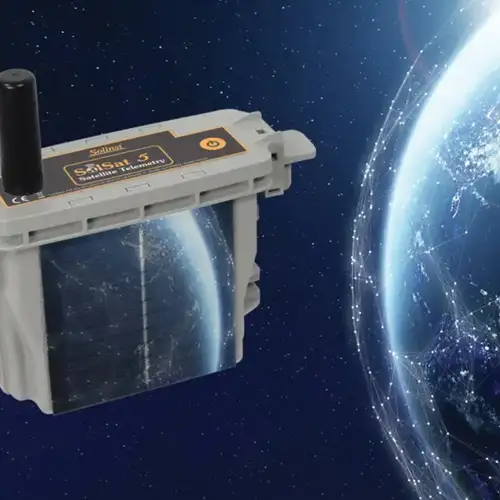
Discover Anywhere Monitoring
SolSat 5 is a telemetry system that leverages Iridium satellite technology to provide global connectivity for Solinst 5 Series dataloggers. It uses low cost TextAnywhere global satellite messaging to send remote data to a secure web portal. It features a robust weatherproof enclosure for installation almost anywhere. Features built-in Wi-Fi setup app, solar panel, and barometer.
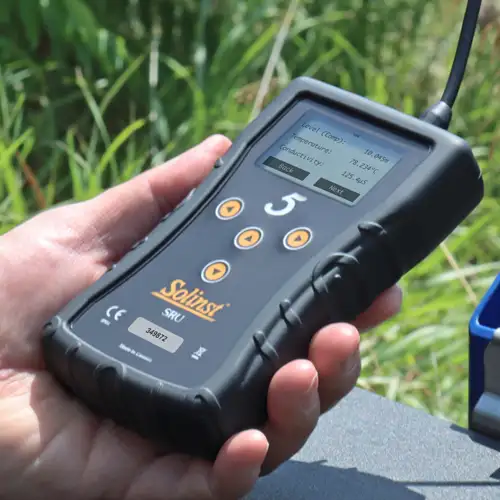
Solinst Readout Unit (SRU)
The Solinst Readout Unit (SRU) is a rugged, handheld device designed to connect to a deployed Solinst datalogger and display instant water level readings – with the option of automatic barometric compensation. Real-time logging and downloaded data can be saved and transferred to a PC. Quickly check the datalogger's status.
Versatile Submersible Water Level Transmitter
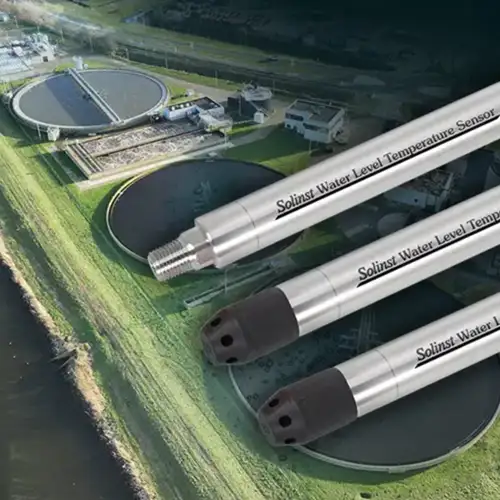
The 301 Water Level Temperature Sensor provides the option of highly accurate water level transmission using multiple protocols – MODBUS, SDI-12 and 4-20mA – for a wide variety of applications. This compact, all-in-one submersible hydrostatic level transmitter provides continuous, stable water level and temperature readings, with options for absolute and gauged pressure sensors.


