
2 RRL 5 Hardware Overview
2 RRL 5 Overview
Solinst 9200 RRL Remote Radio Link User Guide
RRL Stations work with omnidirectional antenna line-of-sight transmission, therefore, can communicate over distances up to 30 km (20 miles) with 900 MHz radios and up to 600 m (1200 ft) with 2.4 GHz radios. Optional antennas can maximize distances (user-sourced). The radio range will vary at different frequencies, as well as environments and antenna setups.
2.1 RRL 5 Stations
All RRL 5 Stations use the same hardware, and are programmed using a wizard in the Solinst Telemetry Software as a Home Station or Remote Station. As such, RRL 5 Stations are interchangeable as required.
Home Station: Each RRL 5 Network will have one Home Station. The Home Station is connected to a PC using a USB cable. The Home Station is powered though the USB connection, but it also requires the internal batteries to operate.
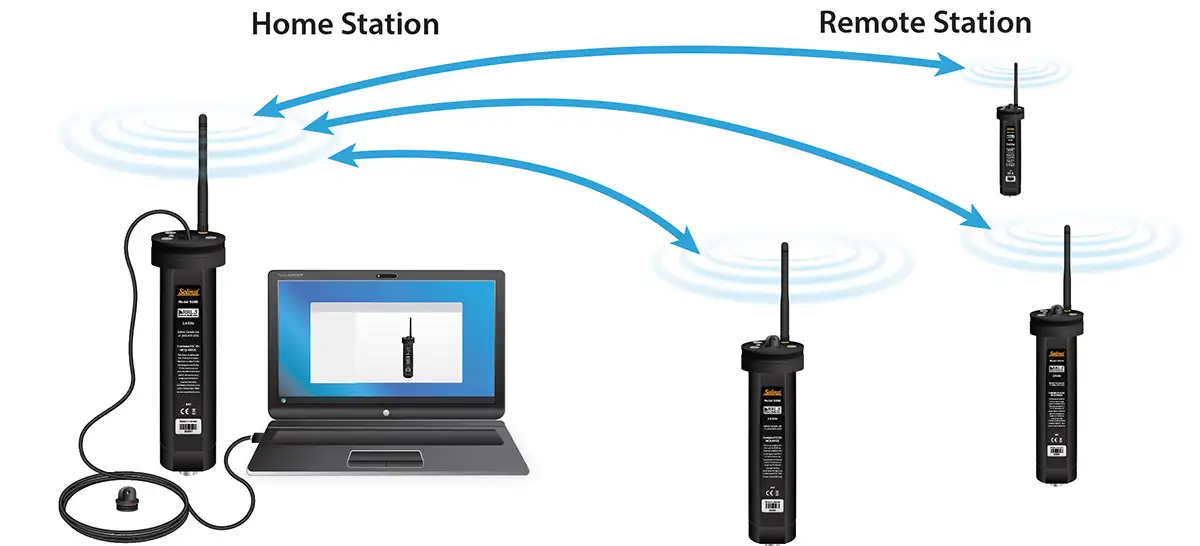
Figure 2-1 RRL 5 Network
Note:
The RRL 5 Home Station requires an external power supply (through the USB connection to the Home Station PC), as well as the internal batteries.
Remote Station: The Remote Station will turn the radio module on and off based on the Report Rate scheduled, to send the accumulated data from the connected dataloggers to the Home Station.
RRL 5 Stations are designed to be placed in a 2″ diameter well (4″ with adaptor), but can also be used in other applications. Each RRL 5 comes with a 2″ Well Cap Assembly and a Support Hanger Bracket (see Section 6 for installation instructions). RRL 5 Stations are constructed from Black Delrin®, and have an IP rating of 67 (dust proof and can withstand immersion up to 1 meter depth for up to 30 minutes).
1. Top Cap
2. Phillips Screws (x3)
3. USB-C Connection Access
4. LED Activity Light
5. Antenna Connection
6. USB-C Connection
7. USB-C Access Cap
8. Antenna
9. Top Cap
10. Bettery Compartment Cover
11. Phillips Screws (x2)
12. Battery Compartment
13. LED Light Activity
14. Barometer Sensor Opening
15. Reader Cable / Splitter Connection
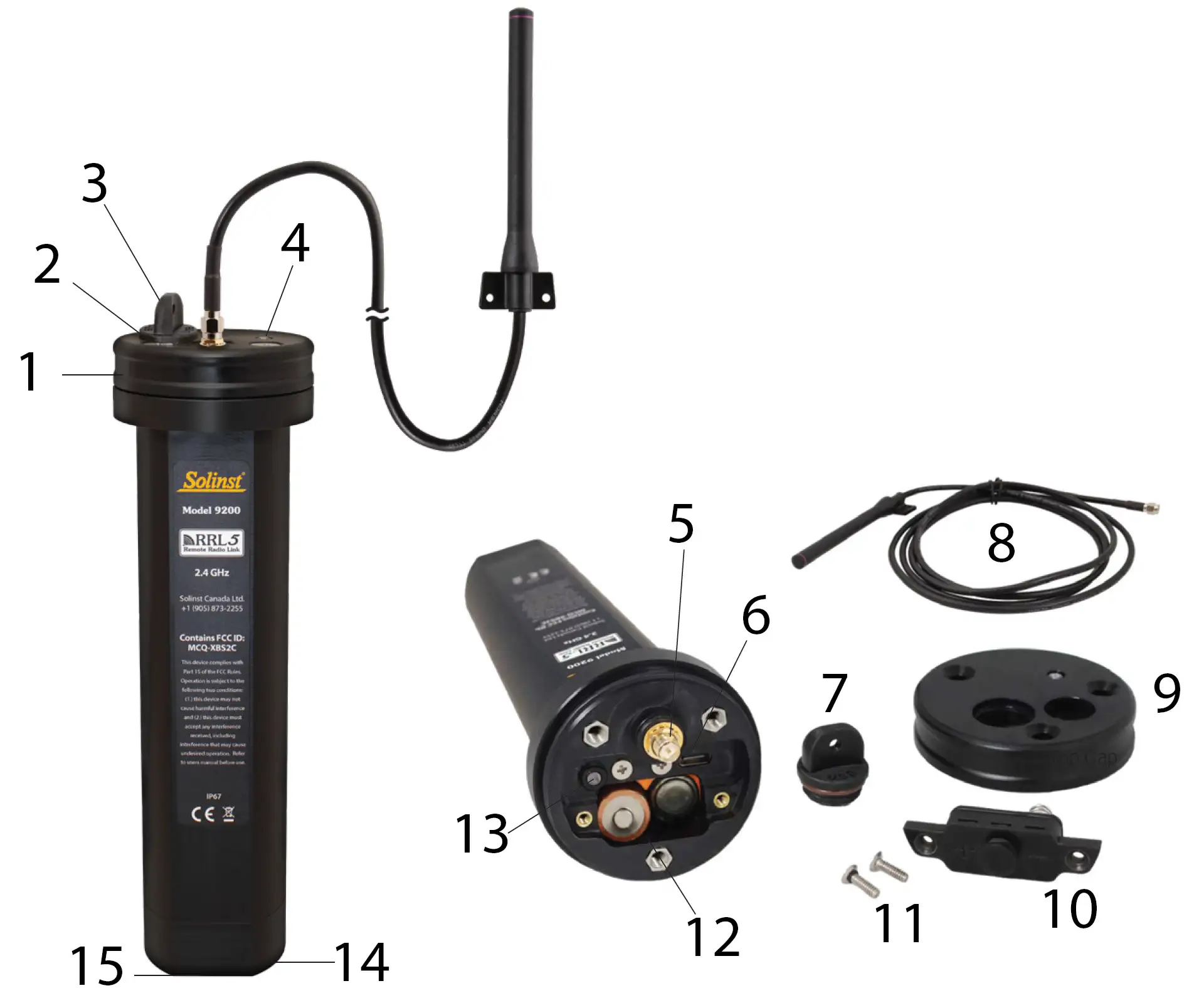
Figure 2-2 RRL 5 Station Components
The USB cable, dataloggers, Direct Read Cables, and Reader Cables to be used with the System are purchased separately. Other installation housings and requirements are user-supplied.
RRL 5 Stations have a non-volatile internal memory of 128 KB (13,000 sets of LT readings or 10,000 sets of LTC readings). A Remote Station stores collected data in its memory until the Home Station has been successfully contacted. The light on the RRL Station flashes with every transmission activity.
2.1.1 Installing Batteries
RRL 5 Stations are shipped with separate batteries, which must be installed before programming. Each RRL 5 uses six (6) 1.5V AA replaceable lithium batteries.
Note:
Alkaline batteries can also be used, but battery life estimates will be reduced. They may also reduce the operating temperature range.
To install the batteries:
1. Use a Phillips screwdriver to remove the three screws from the top of the RRL 5.
2. Pull the top cap off. This will take some force to get past the o-ring.
Note:
If the antenna is connected, you may want to unscrew it to more easily remove the top cap.
3. Use the Phillips screwdriver to remove the two screws holding the battery compartment cover in place. Pull to remove the cover.
4. Note the positive (+) and negative (–) etchings on the RRL. Install three batteries with the positive ends up in the side with the positive (+) etching. Install the other three batteries with the negative (-) ends up.
5. Replace the battery compartment cover and secure using the two screws.
6. Replace the top cap and secure with the three screws.
Note:
If you are not using your RRL 5 for more than two months, Solinst recommends removing the batteries for long term storage.
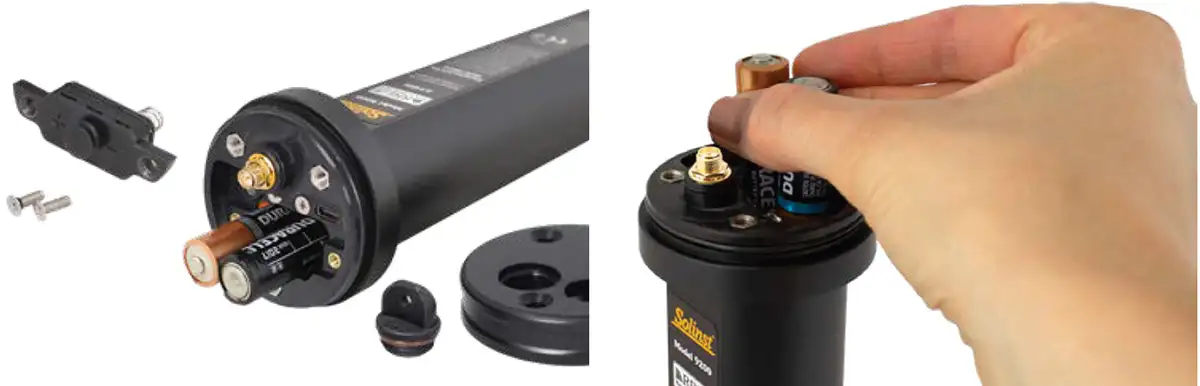
Figure 2-3 Installing RRL 5 Batteries
Note:
It is recommended to replace the batteries when the Remote Station Battery indicator reaches 60% (see Section 4.1).
2.1.2 Installing the Antenna
The RRL 5 comes with a whip antenna with a 2 m (6.5 ft) cable extension. A mounting bracket is included on the antenna.
To attach the antenna, line the cable connection up with the antenna jack and screw the cable onto the connection. See section 6.1 for instructions to accommodate the antenna when using the 2″ well cap.
The antenna for the RRL 5 uses a reverse polarity SMA (RP-SMA) connection (male thread and male centre), therefore, you can source other appropriate (legal) antennas or an antenna cable extension with an SMA connector, if required (as long as waterproofing is maintained).
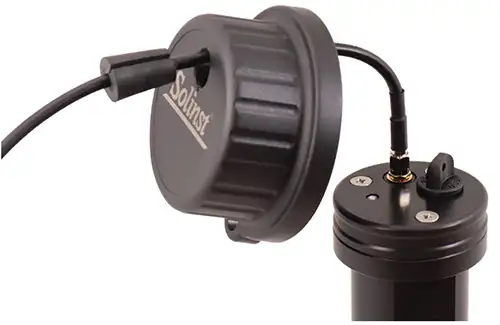
Figure 2-4 Installing RRL 5 Antenna
2.2 Connecting Dataloggers and Splitters
Each RRL 5 has a single port to connect one datalogger. An optional splitter allows the connection of a second datalogger. To connect
the Reader Cables to the RRL 5 Station, remove the black dust cap from the connection on the RRL 5 Station, line up the holes in the connectors, push the Reader Cable connector into the connection on the RRL Station and screw the Reader Cable onto the RRL connection until finger-tight.
2.2.1 Connecting Leveloggers
Leveloggers are connected to the RRL 5 using a Reader Cable, which connects to a Direct Read Cable threaded onto the Levelogger.
Note:
For more information on installing Leveloggers in the field, see the Levelogger User Guide.
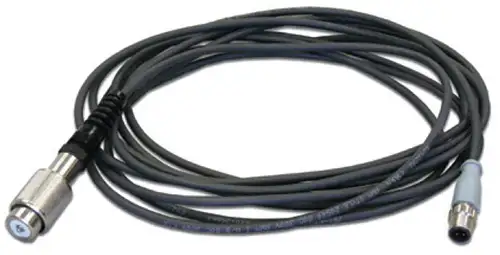
Figure 2-5 Reader Cable
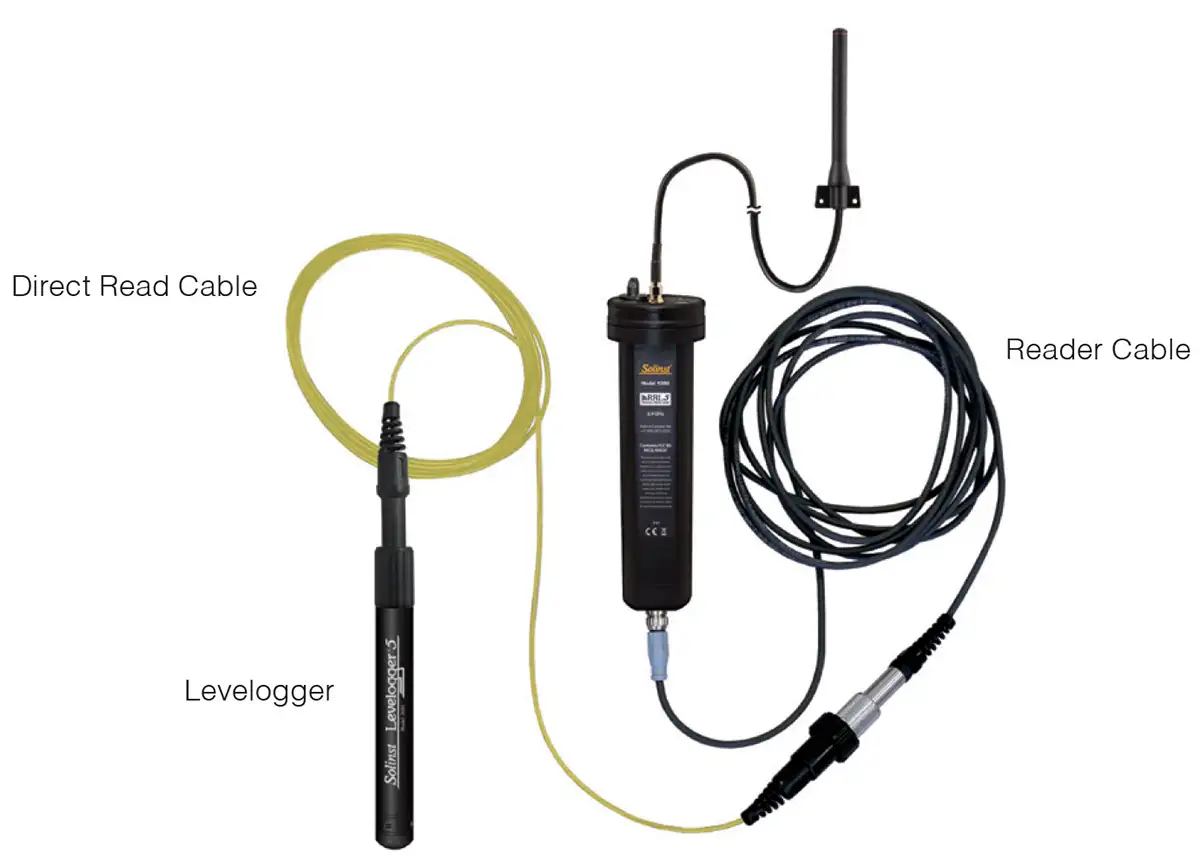
Figure 2-6 Connecting Leveloggers
2.2.2 Connecting LevelVent Dataloggers
LevelVent 5 dataloggers are connected to the RRL 5 using a Reader Cable, which connects directly to a LevelVent Wellhead (which is connected to the LevelVent Vented Cable and Datalogger).
Note:
For more information on installing LevelVent 5 dataloggers in the field, see the Vented Dataloggers User Guide.
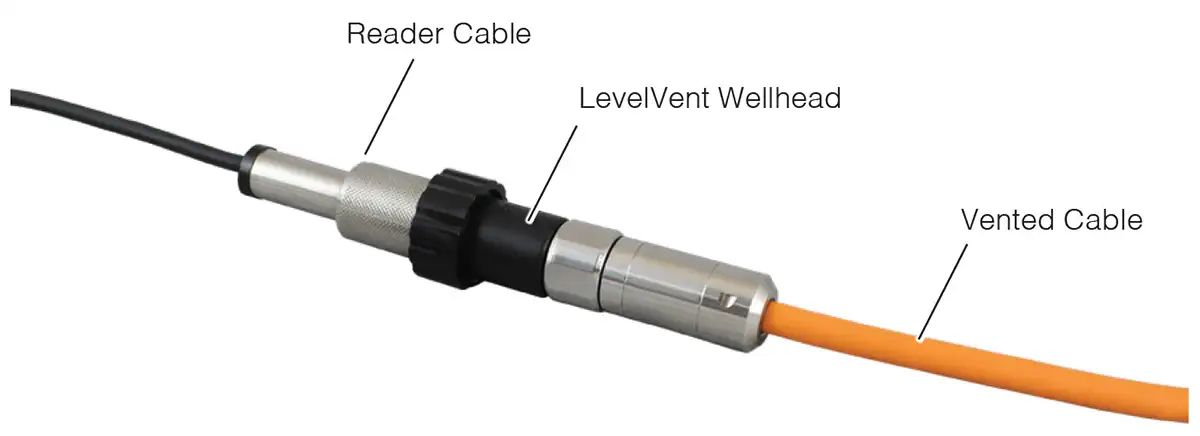
Figure 2-7 Connecting LevelVent Dataloggers
2.2.3 Splitters
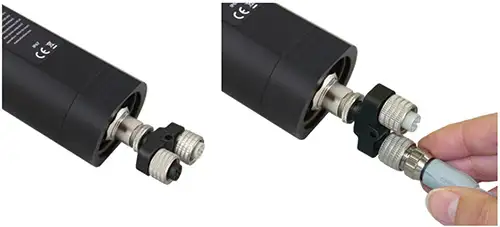
A Splitter allows the connection of up to two dataloggers to each RRL 5. To connect a Splitter to the RRL 5, remove the black dust cap, line up the holes in the connectors and screw the Splitter onto the RRL 5 connection until finger-tight.
Reader Cables are connected to the Splitters in the same manner they are connected directly to the RRL 5.
Figure 2-8 Splitter (part number 109427)
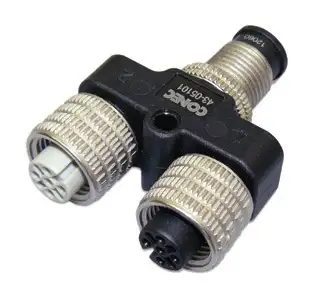
Figure 2-8 Splitter (part number 109427)
Related Products
Plug and Play Telemetry
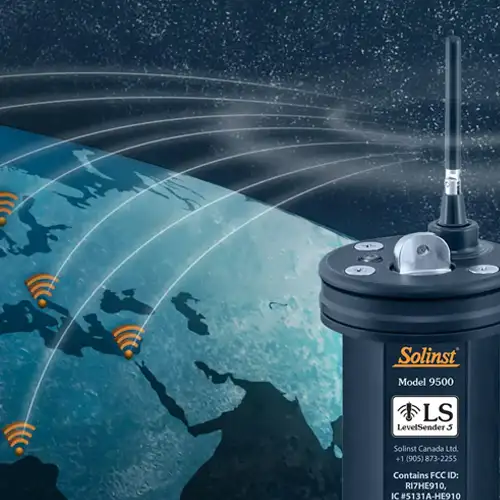
Already own Leveloggers? Quickly and easily upgrade your monitoring wells with LevelSender Telemetry. The 4G LevelSender 5 telemetry system features an optional Solinst SIM card. It is set up for you in advance—with a low-cost plan managed by Solinst! An internal barometer provides automatically compensated water level readings; set high/low level alarms.
Discover Anywhere Monitoring
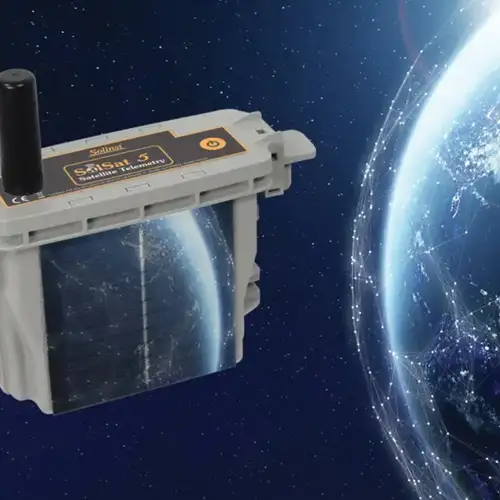
SolSat 5 is a telemetry system that leverages Iridium satellite technology to provide global connectivity for Solinst 5 Series dataloggers. It uses low cost TextAnywhere global satellite messaging to send remote data to a secure web portal. It features a robust weatherproof enclosure for installation almost anywhere. Features built-in Wi-Fi setup app, solar panel, and barometer.
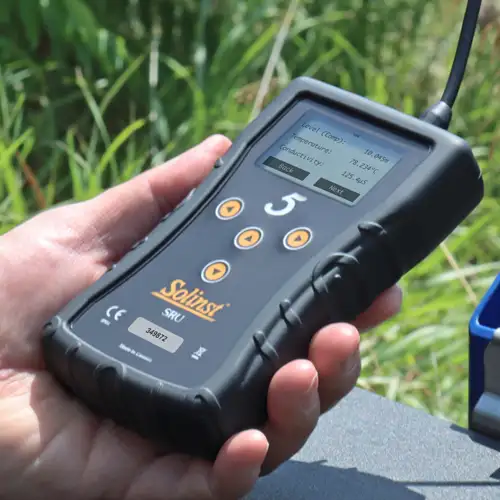
Solinst Readout Unit (SRU)
The Solinst Readout Unit (SRU) is a rugged, handheld device designed to connect to a deployed Solinst datalogger and display instant water level readings – with the option of automatic barometric compensation. Real-time logging and downloaded data can be saved and transferred to a PC. Quickly check the datalogger's status.
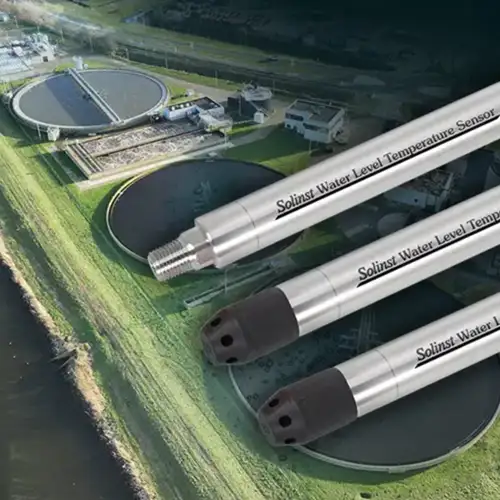
Versatile Submersible Water Level Transmitter
The 301 Water Level Temperature Sensor provides the option of highly accurate water level transmission using multiple protocols – MODBUS, SDI-12 and 4-20mA – for a wide variety of applications. This compact, all-in-one submersible hydrostatic level transmitter provides continuous, stable water level and temperature readings, with options for absolute and gauged pressure sensors.


